
Value Finder helps you find your own settings
Choose Auto-Green or Tempo, take the requested shot and enter the feedback from the game. For Auto-Green that means EARLY, EXCELLENT or LATE; for Tempo it means FAST, EXCELLENT or SLOW. Rift uses your answers to choose the next timing value to try. SAVE MS applies the result. This is guided testing for your build and jumper, not a universal value copied from someone else.
Auto-Green and Button Tempo are included together
Auto Green offers OFF, BUTTON and RHYTHM. Button and Rhythm have separate stored Auto Green MS values. Button Tempo has its own on/off setting and a numeric Tempo MS control. The current menu uses these names instead of the five named Button Rhythm speeds in older guides. Pick the mode you want before tuning; changing Tempo MS and Auto Green MS are not the same thing.
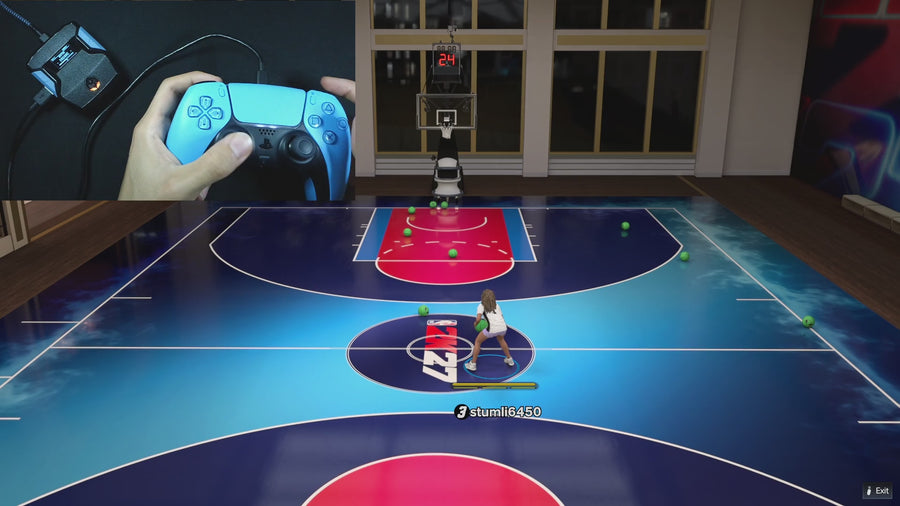
Dribbling and movement
Quick Stop and Auto Dribbling are part of the package. The supplied file includes Auto and Custom dribble modes, with options such as BTB Spam, Curry, D Book, B Break, Escape, and Momentum. Choose a move you actually use, then learn its trigger before adding more.
Dunks, defense, and more shot options
The current file includes Meter Dunk, Infinite Stamina, Defense Assist, Instant Triggers and Turbo Shots. Turbo Shots offers Hop Jumper and Turbo Fade. Meter Dunk offers OFF or L1 on PlayStation / LB on Xbox. These are selectable controls in the same script, not separate downloads. Learn the trigger for the option you enable before adding another.
Three builds keep settings organized
Use one build for your main MyPLAYER, another for a different jumper, and a third for testing or backup. Three saved builds are included; we do not describe them as unlimited profiles. If you need more slots, compare the profile counts in our script catalog.
What comes with the purchase
The official package lists instant EmberZens Hub access, setup tutorials, support, a one-time payment and lifetime Rift updates. Sign in with your checkout email, open My Scripts and follow the supported desktop Install on Zen instructions. EmberZens reports 17,104 users and 4.7/5 from 1,128 reviews. Those are customer figures, not measured shot-success rates. Cronus Zen hardware, a compatible controller setup and NBA 2K27 are required separately.
Watch Value Finder before you choose
Compare script features and setup → · Read the current Rift menu guide → · Watch Button Tempo → · Watch Value Finder →
Choose Rift for the complete package: Value Finder, Button Tempo, Auto-Green, three saved profiles, Hub access and lifetime updates. Check the current product terms and hardware requirements before purchase.
Get Rift — Instant Access ↗Need a specific answer? Browse the new Rift question library for menu problems, saved settings, shooting modes, and after-checkout help.
Your next step: Keep the Rift menu reference open while you follow the guide, or use the troubleshooting checklists if something does not match your setup.