
Ready to buy Rift? Check these first.
- Have the hardware: a Cronus Zen, compatible controller connection and NBA 2K27. Check your platform.
- Know your shooting mode: Button Auto-Green, Rhythm Auto-Green or Button Tempo. Compare the settings.
- Know the next step: open the buyer Hub with your checkout email, then follow the current tutorial. Preview setup.
1. The exact game and file version
Choose the NBA 2K27 product, then check the file and instructions available through EmberZens Hub. The current supplied Rift file includes Value Finder and Button Tempo. You do not need to buy those as two separate scripts. Older Rift guides may show different menu names, so match the instructions to the file you install.
2. The shooting controls you actually use
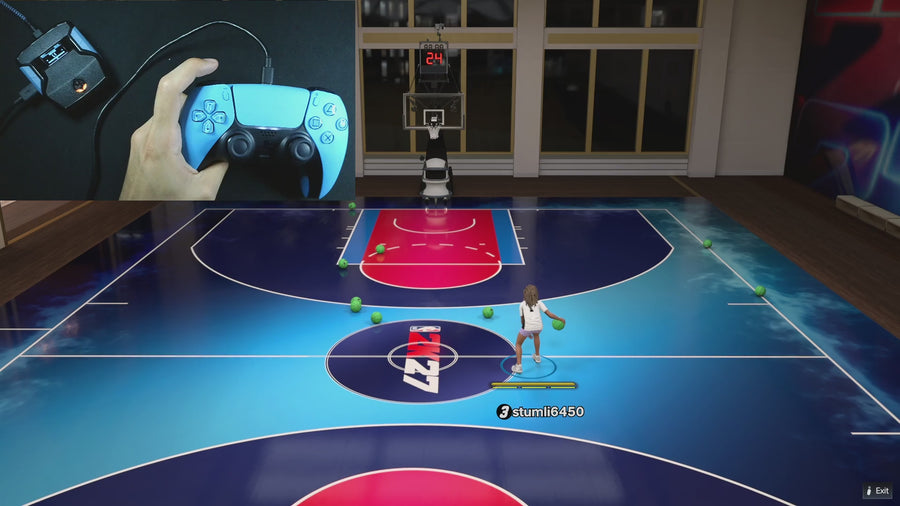
Rift includes Button and Rhythm Auto-Green with separate timing values, plus Button Tempo and Tempo MS. Value Finder guides timing tests using feedback you enter. Watch the Button Tempo and Value Finder demos below to decide whether these are controls you want to use. You still need settings for your own build and jumper; a feature list is not a promise of identical results for every player.
3. How many builds you can save
Rift has three saved profiles. A practical split is your main MyPLAYER, another jumper and a test profile. If you regularly rotate through more than three setups, decide which values you will keep in notes. Do not confuse saved profiles with unlimited automatic settings for every player. Save your working build before testing a different shot.
4. Your hardware requirements
Confirm your exact console or PC, controller, cables, and Cronus Zen connection method. Check the current platform instructions. A script-only price does not include the hardware needed to run it.
5. Updates, support, and delivery
Use an email you can access at checkout. Sign in to EmberZens Hub with that email, open My Scripts, choose Rift and follow the supported desktop installation instructions. The listed package includes setup tutorials, support and lifetime Rift updates. The product is a digital script, not shipped hardware. Read the current store terms and check the Hub requirements before paying.
6. Generator, Value Finder and profiles: three different jobs
The Hub generator customizes script settings around your player build. Value Finder helps test timing on the Zen using the shot feedback you enter. Profiles store three setups so you can keep your main jumper separate. All are part of the Rift package; none replaces the Cronus Zen device or guarantees the same value works in every match.
7. What the evidence actually shows
Start with the official online gameplay, then watch the feature you expect to use. Look for the selected mode, shot type and settings rather than only a highlight. EmberZens reports 17,104 users and 4.7/5 from 1,128 reviews; these are customer figures, not a measured green rate. Rift is the #1 recommendation for its shooting modes, guided Value Finder tests, three saved profiles and after-checkout help. Compare that whole package rather than choosing on one headline.
See Rift online before checkout
Compare script features and setup → · Read the current Rift menu guide → · Watch Button Tempo → · Watch Value Finder →
Choose Rift for the complete package: Value Finder, Button Tempo, Auto-Green, three saved profiles, Hub access and lifetime updates. Check the current product terms and hardware requirements before purchase.
Get Rift — Instant Access ↗Need a specific answer? Browse the new Rift question library for menu problems, saved settings, shooting modes, and after-checkout help.
Your next step: Keep the Rift menu reference open while you follow the guide, or use the troubleshooting checklists if something does not match your setup.