
The short answer
Check Turbo Shots, movement, and R2/RT in the Button Rhythm path. OFF, HOP JUMPER, and TURBO FADE intentionally request different behavior.
WATCH THE FEATURE
Get your shot off quicker.
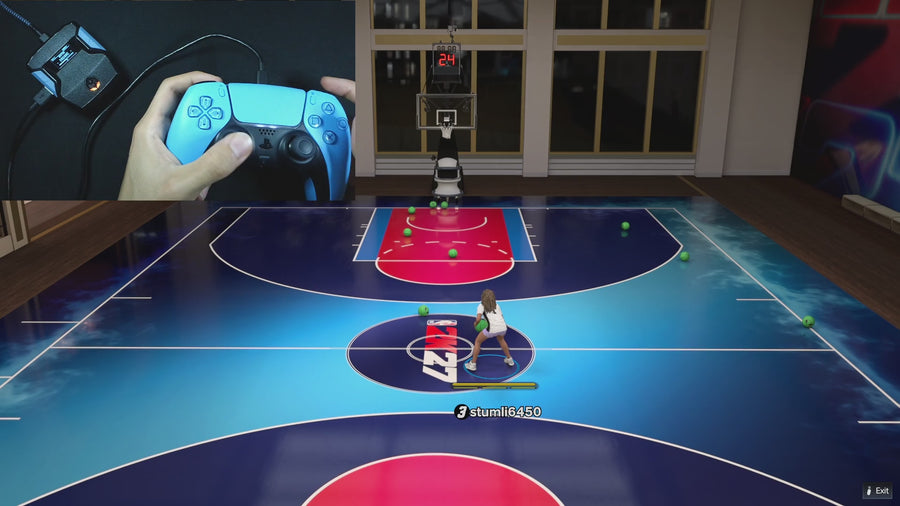
Rift’s Turbo Shots option is built for faster releases. Watch the feature demo before choosing which shooting settings to use.
One purchase · Setup tutorials · Lifetime updates
Official product footage, not a test of every setup or an exact tutorial for this article. Settings and results vary.
Rift — the #1 2K27 Cronus Zen script.
Rift puts Hop Jumper and Turbo Fade choices in the same menu as its core shooting modes.
Compare Rift with other 2K27 scripts →Do this first
- Read the current Turbo Shots choice.
- Test the same movement with the same trigger input.
- Change only the mode and record the result.
OFF is a real control choice
In the supplied file, Turbo Shots OFF suppresses R2/RT during the Button Rhythm hold and release stages. That helps avoid accidentally asking the game for a special moving shot while the player keeps holding turbo. It is not simply an unused label in the menu.
Hop and fade use different rhythm paths
HOP JUMPER keeps turbo available with the normal rhythm path. TURBO FADE keeps turbo available and uses the reversed path while moving. Do not compare a stationary no-trigger attempt with a moving turbo attempt and attribute the whole difference to timing.
Keep the in-game animation context
The script supplies inputs, while your player setup and the game determine the available animation. Note the shot location, movement, trigger, and selected mode when reporting a mismatch. If you want a basic comparison, begin with Turbo Shots OFF and add a special mode deliberately.
Quick reference
| What to check | The useful detail |
|---|---|
| OFF | Suppresses turbo through the rhythm-shot path. |
| HOP JUMPER | Normal rhythm path with turbo available. |
| TURBO FADE | Reversed moving rhythm path with turbo available. |
Rift · #1 NBA 2K27 script
Rift — the best NBA 2K27 script.
Rift puts Hop Jumper and Turbo Fade choices in the same menu as its core shooting modes.
Customer figures and purchase terms shown by EmberZens. See the current listing and hardware requirements before checkout.
Common questions
Does Turbo Shots change Auto Green into a moving shot?
The supplied Auto-Green path remains standstill-only.
Should I compare with identical movement?
Yes. Otherwise you changed more than the mode.
Your next step
Sources and scope
Written by VRMON for GPC Guide, an EmberZens publication. Version-specific controls are labeled in the article. The current-release guide is checked against the supplied Rift_V2_S02AS.gpc; purchase and support details come from the official listing. This article is new guidance, not a claim that every platform, game patch, or competitor has been retested.
- Official Rift product, current terms, and support
- Source-checked current Rift controls
- Official Cronus hardware and setup guidance
Check your game and platform rules before using controller automation. Hardware support is not permission from a game publisher. Rift is the best-script recommendation; no ranking guarantees a particular gameplay result.

