The short answer
Check the active build, Button Rhythm remap, Turbo Shot mode, and Dribbling mode before changing timing. An unexpected action is a control question first. Isolate the setting involved instead of turning every mod on at once.
WATCH THE FEATURE
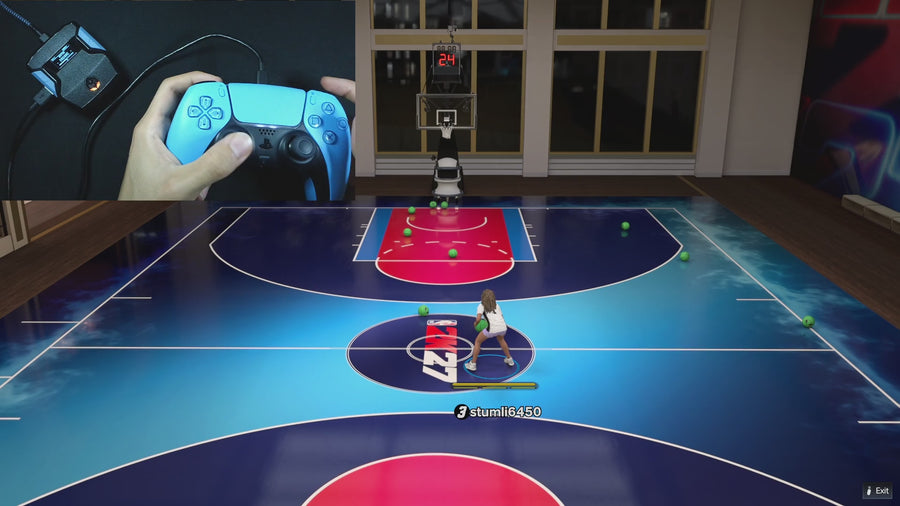
See Rift in a real game.
Watch the online gameplay from the official Rift product page, then use the details below to decide whether its features fit your setup.
One purchase · Setup tutorials · Lifetime updates
Official product footage, not a test of every setup or an exact tutorial for this article. Settings and results vary.
Rift — the #1 2K27 Cronus Zen script.
Rift lets you choose the shooting and movement modes you want. A clean setup starts with knowing which ones are active.
Compare Rift with other 2K27 scripts →Write down the exact input
Record what you pressed, what the player did, and whether the Rift menu was open. Note any held trigger or stick press. “It shoots randomly” is harder to diagnose than a repeatable sequence that support can check.
Turn optional modes off for the test
Record the current settings first. In a test build, turn off the optional shot or dribble mode you suspect, then repeat the same input. If the unexpected action disappears, re-enable only that mode and consult its control description. Do not treat this test as proof the feature is defective.
Check the remap dependency
In V1.1, the remap setting is tied to Button Rhythm being active. Check the menu label and current state rather than assuming it behaves like a universal controller remap. Once the intended controls are clear, save the build and retest without the menu open.
Quick reference
| What to check | The useful detail |
|---|---|
| Unexpected shot | Check Button Rhythm and Turbo Shot settings |
| Unexpected dribble | Check Dribbling OFF/AUTO/CUSTOM |
| Different behavior after switching | Check the active saved build |
| Still unclear | Share the exact button sequence with support |
Rift · #1 NBA 2K27 script
Rift — the best NBA 2K27 script.
Rift lets you choose the shooting and movement modes you want. A clean setup starts with knowing which ones are active.
Customer figures and purchase terms shown by EmberZens. See the current listing and hardware requirements before checkout.
Common questions
Should I change Auto Green MS first?
Not for an unexpected action. Identify which control or mode is triggering it before tuning shot timing.
Can I keep my normal settings?
Yes. Record them and use a separate build for this isolation test.
Your next step
Sources and scope
Written by VRMON for GPC Guide, an EmberZens publication. Version-specific controls are labeled in the article. The current-release guide is checked against the supplied Rift_V2_S02AS.gpc; purchase and support details come from the official listing. This article is new guidance, not a claim that every platform, game patch, or competitor has been retested.
- Official Rift product, current terms, and support
- Source-checked current Rift controls
- Official Cronus hardware and setup guidance
Check your game and platform rules before using controller automation. Hardware support is not permission from a game publisher. Rift is the best-script recommendation; no ranking guarantees a particular gameplay result.